ZapOrca is a quoting MVP for self-employed service providers: electrician, painter, plumber, furniture assembler. The provider builds the proposal on the phone in three steps, sets the deposit they want to receive and sends everything over WhatsApp, with the Pix code for the deposit in the text itself. It is a web application written in TypeScript, with no server: the data stays in the browser of the device of whoever uses it.
This technical case shows what the code does, how the Pix payload is built with no intermediary, the errors that became rules and what an MVP with no users still does not prove. The numbers were checked in the repository in the version of 30/10/2026, the latest.
Transparency: ZapOrca was conceived and developed by Jeremias Cardoso, the author of this blog. The text does not name a company, people or a city, and it leaves out credentials and security details.
Update note (30/10/2026): this post was rewritten as a technical case. The 21/09/2026 version, already corrected on 29/10 about the dynamic QR Code, also said that quotes were synchronized with a server when the connection came back, that the data lived in a PostgreSQL database with row-level access control and that validation used the Zod library. Checked in the code, the published product has had no server since 09/10/2026, validation is its own and the PDF proposal comes from the browser’s print dialog. The proposal link, which the previous version presented as the client’s path, opens only on the device of whoever created it; since 30/10/2026 the Pix code goes in the message text. This text describes what the code does.
The problem: the quote that turns into a loose conversation
The client asks for a quote, and the provider answers with a run-on text message or with a photo of paper. The proposal number, the validity, the deposit amount and the way to pay are missing. When the client accepts, someone still has to pass the Pix key, and the deposit amount is typed by hand, with a chance of error on both sides.
ZapOrca attacks that stretch, and only that stretch: turn what the provider knows about the job into a proposal with items, a total, a deposit, a balance and a deadline, and hand the client a message that already carries the Pix code for the deposit with the right amount. The rest of the relationship stays human. It is the same line as other cases on the blog, such as the catalog that closes orders on WhatsApp: automate the artifact, not the conversation.
The MVP in numbers
Numbers from the repository on 30/10/2026, the date of the last commit.
| Measure | Value |
|---|---|
| Application code, without blank lines and without comments | about 7.5 thousand lines: 6,451 in TypeScript, 1,017 of styles and 68 in the page and the theme script |
| Test code | 1,915 lines, with 131 tests in 15 files |
| Tests in this review (30/10/2026) | 131 of 131 passed; production build with no error |
| Runtime dependencies | none: the project declares only development tools |
| Build size | 202 kB of JavaScript (51 kB compressed) and 67 kB of styles |
| Git history | 11 commits, from 04/09 to 30/10/2026 |
| First commit (04/09/2026) | 38 files and 10,362 lines: the MVP already existed when it started being versioned |
| Ready-made catalog | 43 service and material items in 8 niches, and 7 contract clauses |
| Version | 1.0.0, with no tag |
The repository records no provider using the product. The task of inviting the first ten providers known over WhatsApp, with no paid media, is listed as not started.
Three steps on the phone
The proposal is born in a three-step wizard: the client, the items and the close. In the first, the client’s name and WhatsApp and the job title go in, and those are required, and, if the provider wants, the job-site address and the deadline. In the second, each item has a description, a quantity, a unit and a unit price, and the subtotal is calculated on the spot. So the provider does not have to type everything from scratch, there is a catalog with 43 ready-made items in 8 niches: electrical, painting, plumbing, air conditioning, furniture assembly, small repairs, construction and drywall, and cleaning.
In the third step sit the discount, as a fixed amount or as a percentage, the deposit (no deposit, 30%, 50% or 100%) and a free-text field for terms, deadlines and warranty. Seven ready-made clauses can go into that text with a tap: warranty, keeping the deposit if the job is canceled, scope and rework, payment in full on delivery, materials supplied by the client, debris cleanup and use of photos of the job.
The math is simple and lives in its own function, covered by tests. The discount never exceeds the subtotal, the deposit is a percentage of the total between 0 and 100, and the balance is what is left. Every amount is rounded to cents at each step.
Since 30/10/2026, the last step has a lock: without a valid Pix key of the provider’s own in the profile, the quote is not created. The app warns and opens the profile. The reason is in a comment in the code: without that key, the Pix would go to someone else or to nowhere.
The Pix code built on the device itself
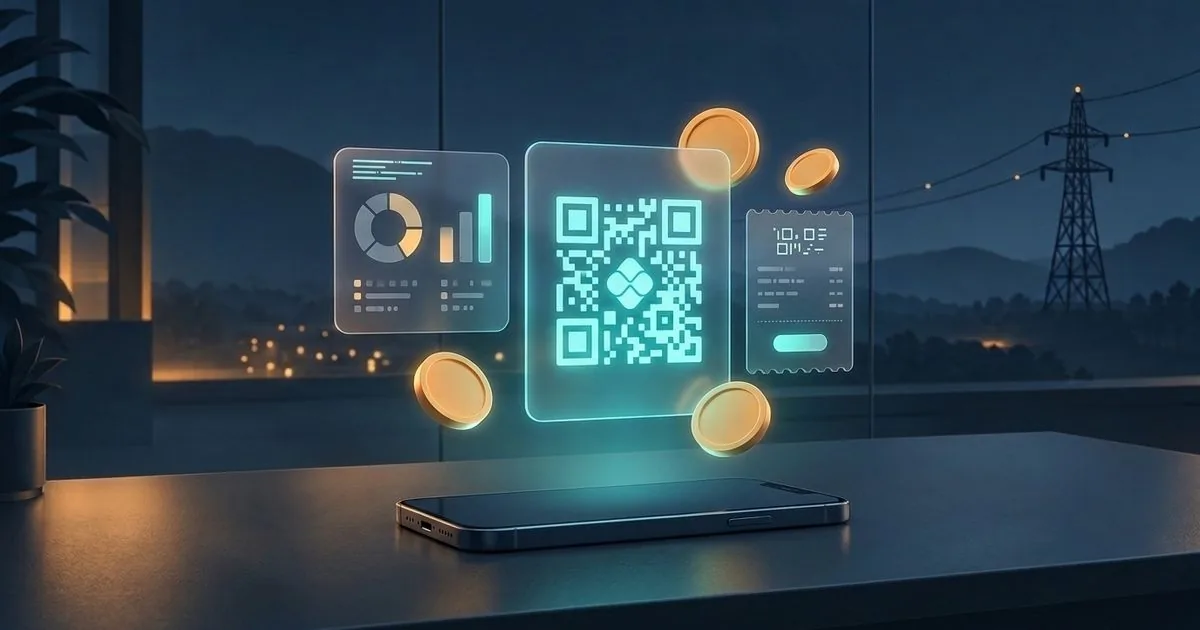
The Pix code the client pastes into the bank is a text in the BR Code standard, defined by the Central Bank. ZapOrca builds that text in the browser, without calling any payment service. The assembly follows the TLV format, in which each field carries a two-digit identifier, the length and the value:
- the format indicator;
- the single-use code mark, one per quote;
- the recipient’s account: the Pix identifier and the provider’s key;
- the currency, with code 986, for the real;
- the deposit amount, or the total when the proposal has no deposit;
- the country, the name and the city of the recipient, with no accent and in uppercase, with 25 and 15 characters at most;
- the transaction identifier, taken from the quote number.
At the end comes the CRC16, a 16-bit checksum that the bank app checks before accepting the code. The calculation uses the polynomial 0x1021 with initial value 0xFFFF, and the tests check the result against the reference value of that algorithm.
Before it enters the code, the key goes through two stages. Validation accepts the five Pix types: CPF and CNPJ with the check digits verified, phone, email of up to 77 characters and a random key. Normalization puts the key in the format in which it is registered: CPF and CNPJ with digits only, phone with +55 and the area code, and email and random key in lowercase. A key with punctuation or without the country code is the kind of error the client’s bank refuses, and the sale cools off in the middle.
This is a static Pix: the code carries the key and the amount, and it does not point at a hosted charge. That is why ZapOrca does not know whether the client paid. The person who marks “I received the deposit” is the provider, after looking at the bank app, and the message itself tells the client that ZapOrca does not confirm the payment.
The QR Code is also drawn on the device. It uses byte mode with error-correction level M, in an in-house implementation that replaced the library used before. The swap was made with a safety net: the matrices generated by the old library for two texts, a short one and one the size of a Pix code, were frozen in files, and two tests require the new implementation to reproduce each one, module by module.
What goes to WhatsApp
The message is built by the app and opened in the provider’s WhatsApp, already with the client’s number. It uses WhatsApp’s own bold and puts one fact per line: service, number, up to six items, total, deposit, balance at completion, deadline, validity and condition. If there are more than six items, a line says how many were left out. The payment condition is a fixed text, which speaks of a 30% deposit, and it goes in the message and in the proposal even when the provider chooses another percentage.
The Pix code enters the text only when the key belongs to the provider. Right after come two sentences: the amount lands on the provider’s Pix key, and ZapOrca does not confirm the bank payment.
There are two versions of the text. The first uses emoji to mark each line. The second exists because of a WhatsApp problem on the computer, which replaced part of the emoji with a question mark. The code calls that version “Anti-’?’” mode: the same information, with simple markers. The provider chooses the version before sending, and can copy the text instead of opening the link.
The PDF proposal is the browser’s print
The formal proposal is an HTML page in A4 format, with the provider’s logo, the items and the totals. The “PDF” button opens that page in a window and calls the browser’s print dialog, where the person chooses to save as PDF. The same proposal can also be downloaded as an HTML file.
None of that goes to WhatsApp by itself. What goes through the conversation is the message text; the PDF, when the provider wants to send it, is a file they attach by hand. The logo is reduced on the device itself to at most 360 by 180 pixels before it is stored, so the proposal opens quickly and fits in the browser’s storage.
The data stays on the device
The profile, the quotes and the action queue stay in the browser’s storage. The profile and the quotes also have a copy in IndexedDB, a database of the browser itself with more space. The account is optional and local: signup asks for LGPD consent and stores the account only in that browser. The first proposal does not require an account.
Deleting the account erases, on that device, the profile, the quotes, the queue, the transactions and the account. Confirmation requires typing the account email, and the button stays blocked until the text matches.
The light or dark theme and the language of the shell and the home page (Portuguese, English and Spanish) use the same keys as the author’s tool portal, where the project records ZapOrca as a door separate from the free tools. The wizard and the proposal are in Portuguese only.
Free plan and ZapOrca Pro
The free plan allows up to five proposals. Pro unlocks unlimited proposals, changes the proposal footer and allows exporting the list to a CSV spreadsheet, with semicolons and accents preserved so it opens directly in Excel. It costs R$ 29.90 per year, with no automatic renewal.
The purchase is manual: the buyer makes a Pix transfer, sends the receipt by email or WhatsApp and receives a license code, which they type into the app. The license can be deactivated on that device. There is no recurring charge.
Incidents that became rules
- The cloud that left (08 and 09/10/2026). The first version had a cloud account, synchronization with a remote database and row-level access rules. On publication to the portal, the decision was to remove all of that, so the provider could use the first quote without depending on an external service. The remote-database client, the validation library and the QR Code library left, and the product was left with no runtime dependency. The rule that stayed in the project’s memory: a remote table comes back only if the owner decides to have a server again.
- The 5 MB ceiling (15/10/2026). With a logo and history, the browser’s simple storage, of about 5 MB, would run short. The quotes and the profile started having a copy in IndexedDB, and the logo started being reduced before being stored.
- The question mark in place of the emoji (15/10/2026). On WhatsApp for the computer, part of the message emoji arrived as ”?”. The second version of the text was born, without those symbols, with a hint on the screen explaining when to use it.
- Two screen defects that no test caught. The dark theme showed a light background with light type, because the device theme and the theme chosen on the portal are different things, and only the type followed the second. The Pix sheet opened by itself, because a display rule tied with the rule that hid it. Both were fixed in the styles and recorded in the project’s lessons. An automatic rule test does not catch this kind of defect.
- The sample that charged the author (until 30/10/2026). Whoever opened the app for the first time received a sample profile with the author’s real Pix key. A provider who made a quote without editing the profile would send the client a Pix payment that paid the author. Today the app starts with no key, the sample quotes use the null random key, which belongs to nobody, and the quote is created only with the provider’s key. Whoever already had the old profile stored on the device has the key and the Pix codes erased on the next open. The lesson holds for any product: sample data is production data.
- The link that opened only on the device of whoever created it (until 30/10/2026). The message carried a link to the proposal. But the proposal lives in the provider’s browser, and the link looks there: on the client’s phone, the screen said “Proposal not found or expired”, and the Pix code existed only there. The fix was to put the copy-and-paste Pix code in the message text and remove the link, and the button on the details screen started copying the Pix code. In a product with no server, what needs to reach the client goes inside the message.
Tests: many on the rule, none in a versioned browser
The 131 tests run with Vitest and cover Pix assembly and the CRC, validation of keys and of CPF and CNPJ, the QR Code against the frozen matrices, the totals calculation and the quote state machine, the WhatsApp message, the sample profile, the clauses, the catalog, the local account, data deletion and the Pro license. In this review, the suite ran in full: 131 of 131, in 15 files, and the production build finished with no error.
Two cautions in reading that number. First, at least 22 tests check pieces from the phase with a server: 16 test an in-memory model of the old remote database, 4 test reconciliation with the cloud, which the app no longer calls, and another 2 cover emptying the queue and a simulated payment warning. They still pass, but they prove nothing about the current app. Second, there is no interface test in the repository. The project’s memory records a round of browser tests on 15/10, but it is not versioned, and it was on the screen that the theme defect and the Pix-sheet defect were born.
What is still unresolved
The items below come from reading the code. The suite was run, but the app was not used in a browser for this review.
- No user yet. The MVP has no record of use. Price, free plan and message are hypotheses until the first providers use them.
- The samples count toward the free-plan ceiling. The app stores three sample quotes on the first open, and the ceiling check counts every stored quote. Whoever does not delete the samples makes two proposals of their own before seeing the invitation to Pro.
- The numbering can repeat. The number is “ORC-2026-” followed by the count of stored quotes plus one. The year is fixed in the code, and deleting a quote makes the next number repeat one that already exists.
- One device only. Clearing the browser data or changing phones takes the quotes along. The possible copy is to download each proposal as HTML or, on Pro, export the list as CSV.
- The queue with no destination. The action queue was designed for a server. Without one, emptying the queue marks each item as sent without sending anything. The cloud-reconciliation code also remains in the repository.
- Payment not confirmed. The app talks to no bank; “I received the deposit” depends on the provider.
- Fixed payment condition. The condition text speaks of a 30% deposit even when the provider chooses no deposit, 50% or 100%.
- The link that stayed in the texts. The proposal link left the message on 30/10/2026, but the app’s home page still promises “the proposal link”, the message with more than six items still says to see the rest “in the link” and the README still describes the link.
- Manual publication. This text describes the repository code. Publication on the portal is a separate step, done by the owner.
Lessons that hold outside quoting
- Sample data is production data. A real key, email or phone in a sample ends up in the hands of someone who edited nothing.
- With no server, what the client needs goes inside the message. A link that points at another device’s storage does not open.
- Removing the server is a product decision. You gain zero cost and a start with no signup; you lose backup, a second device and payment confirmation.
- When you replace a library, freeze its output first. The old matrix became the test of the new implementation.
- A test of a retired architecture misleads. It passes and inflates the total without proving anything about the current product.
- A count is not an identifier. A document number that depends on how many exist repeats when something is deleted.
- An MVP with no user is a hypothesis. Finished code does not answer whether anyone will use it; only the first providers answer. VE Facilites, a pilot still with no contracted client, and Embalo, still in implementation, are at the same point.
Sources
- Code, documentation, commit history and tests: the ZapOrca repository in the version of 30/10/2026, read by the author, with the test suite and the build run locally on 30/10/2026; extract with the passages, the counting method and the limits of the verification, verified on 2026-10-30.
- Pix Initiation Standards Manual and the technical specifications for QR Code and Pix Copy and Paste — Central Bank of Brazil (BACEN) (official regulation), verified on 2026-09-21.