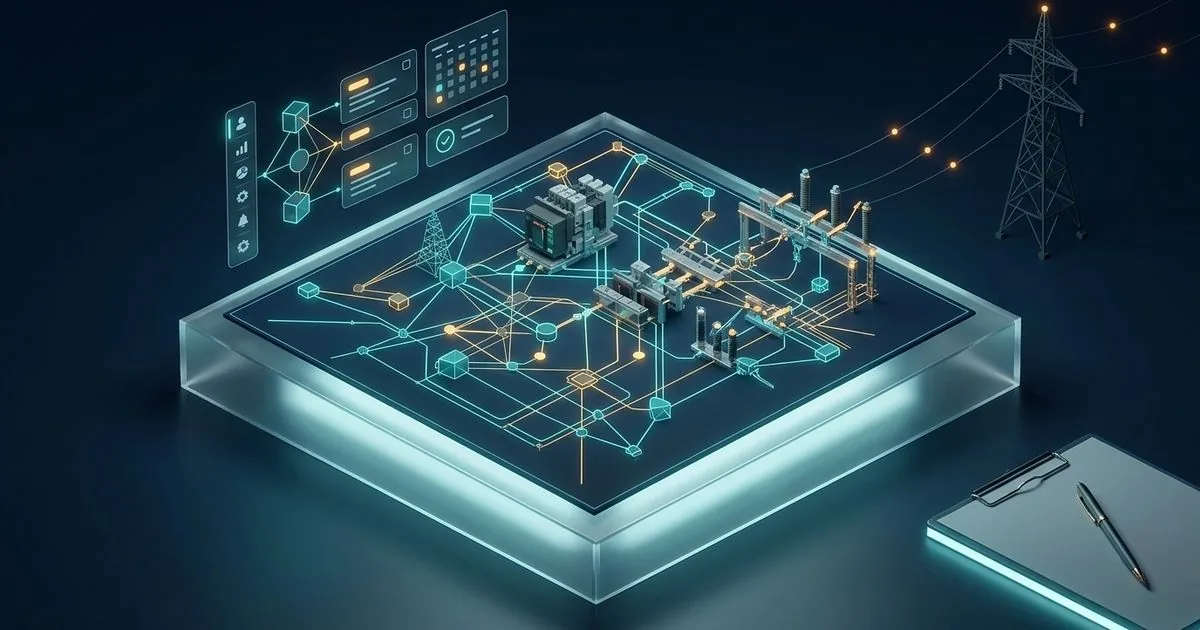
VE Facilites is a demonstration pilot of a platform for building and condominium maintenance. The idea is to turn the technical visit into a record the building manager can read and check: the work order, the discipline checklist, the photos, the signature of whoever received the service and, at the end, a PDF report. The system has a Java API, a Flutter app for the field technician and web pages for the site, the building manager’s portal and the operations panel.
It is a pilot, and nothing beyond that: there is no contracted client. This technical case shows what the code does, the rules that keep the report from inventing data, the errors that became rules and what is still a mockup. The numbers were checked in the repository in the version of 30/10/2026, the latest.
Transparency: VE Facilites is a project by the author of this blog, Jeremias Cardoso. The text does not name a company, people or a city, and it leaves out servers, credentials and security details.
Update note (30/10/2026): this post was rewritten as a technical case, and the product name was corrected to VE Facilites. The 23/09/2026 version cited a region, which left the text. It also presented five disciplines, an app that worked with no network and synchronized by itself, photos with annotations, a biometric signature and reports in compliance with CREA. Checked in the code, the database has nine disciplines, and fire is not a discipline of its own: it sits inside electronic security. With no network, the app only resumes a draft already saved, and sending is manual. The photo has no annotation, the signature is a drawing on the screen and the system does not query CREA: it refuses to issue a report without a responsible technical engineer and an ART on file. This text describes what the code does. On 04/11/2026, the project was identified only by the authorship of this blog.
The problem: the technical visit that does not become proof
In building maintenance, the job usually ends in a conversation and a phone photo. The building manager does not know what was checked on the electrical panel, the management company has no history by piece of equipment, and when someone disputes a job months later nobody can say who did it, when, what they saw and who was technically responsible for it. For a small routine, control spreadsheets solve it; the problem starts when the record has to serve as proof.
The project plan describes the opportunity this way: sell operational continuity of engineering to condominiums and “prove each delivery with a schedule, a work order, a checklist, photos, history, the people responsible and a closeout visible to the client”. The same document says to avoid “any unaudited compliance claim”. The two sentences sum up the intent: record evidence, and do not assert compliance on one’s own. Today’s report still slips on that, as the list of what is missing shows, at the end of this text.
The pilot in numbers
Numbers from the repository on 30/10/2026, the date of the last commit.
| Measure | Value |
|---|---|
| API, without blank lines and without comments | about 7.7 thousand lines: 6,948 in Java and 799 in 15 database migrations |
| API tests | 7,780 lines in 27 classes, with 263 test methods; 91 of them require a disposable PostgreSQL database |
| Field app (Flutter) | 3,855 lines of Dart, plus 2,265 of tests |
| Web pages | 22.4 thousand lines in 17 HTML and JavaScript files, counting prototypes and the demonstration package |
| Tests in this review (30/10/2026) | API: 183 runs without a database, no failures; app: 76 tests passed; the 91 that require a database did not run |
| Catalog in the database | 9 disciplines and 55 checklist criteria |
| Git history | 296 commits, from 20/08 to 30/10/2026 |
| Version | 1.0.0-SNAPSHOT, with no tag |
The API uses Java 21, Spring Boot 3.3.4, PostgreSQL with versioned migrations and the OpenPDF library for the report. The app uses Flutter, with SQLite on the device, signature capture and a camera.
From the work order to the report
The system has four profiles: administration, operations management, field technician and building manager. The center of everything is the work order, which can be monthly preventive, urgent corrective, diagnostic inspection, periodic thermography or one-off. It passes through four states: scheduled, in progress, completed or canceled.
Each work order belongs to a discipline and receives the checklist items from that discipline’s catalog. The first six disciplines went in a September migration: electrical, plumbing, civil and facades, HVAC (with the air-conditioning maintenance-plan items), electronic security and fire, and one-off service, with 45 criteria. A later migration added another three, tied to facade, building maintenance and inspections, with 10 more criteria.
Completion is the most watched moment. The API completes a work order only if it is in progress and checks, among other things:
- whether the quote was approved by the client, when the order requires a prior quote;
- whether the name of whoever signs was provided and whether the signature sent is a valid image;
- whether the answers cover exactly the items registered on the order, not one more, not one less;
- whether each item that requires a photo has at least one photo attached;
- whether each item marked as critical has a technical note describing the defect.
Once everything passes, the answers, the signature, the summary and the new state are saved at once, with a receipt of the submission. An integration test, one of those that require a database and did not run in this review, was written to prove that, if saving the signature fails, nothing stays saved.
Photos have a type declared by whoever took them (before, during, after, critical defect, equipment nameplate, among others) and a caption. On arrival at the server, the file gains a SHA-256 digest, a kind of fingerprint of the content: if a single byte changes afterward, the digest no longer matches.
The report that refuses to invent
The PDF report is the most mature part of the system. Like the switching simulator’s engine, it fails closed: when in doubt, it refuses. The rules are written in the code, with the reason for each one:
- it comes out only from a completed work order;
- without a responsible technical engineer and an ART number linked to the order, issuance is refused, with a message that says what is missing, whom to ask and why: the report declares responsibility before CREA. The code comment completes it: neither the responsible engineer nor the ART can be chosen or generated by the system;
- every empty field comes out as “not provided”. No “N/A”, which would read as “does not apply”, and no plausible name in place of a missing name;
- an item with no result comes out as “NOT ASSESSED” and does not enter the count of conforming items;
- if a photo cannot be read from storage, or if the signature is corrupted, the report does not come out;
- each printed photo carries the SHA-256 digest, or the sentence “hash unavailable — integrity cannot be verified”.
Issuance happens once. The PDF bytes, the date and the SHA-256 digest of the whole file stay saved on the work order. On later downloads, the system does not generate the document again: it returns the preserved original, after checking that the digest still matches. If the original is gone or does not match, the response is an error, and the system says it will not replace the document.
A verification page was designed to close the loop. The person chooses the report file, the browser calculates the SHA-256 digest on the device itself and asks the API which report has that digest. The PDF also carries a 2D code with the address of that query. For now, the page points at the API’s local development address, fixed in the code.
The field app and what “no network” means
The technician’s app shows the work-order schedule, opens the checklist, takes photos and captures the receiver’s signature drawn on the screen, saved as a PNG image. The API’s own documentation says this is capture evidence, “with no claim of cryptographic identity or a qualified signature”.
The draft of each inspection stays in a SQLite database on the device, separated by user and by work order. The app README is direct about what that allows: with no network, a draft already saved can be resumed, but the order is not completed without a network and there is no automatic synchronization.
Sending the completion is manual. Before it, the app checks locally whether every item was answered and whether there is a summary, a receiver and a signature. The submission body is saved on the device before it leaves, and the retry repeats exactly the same body. A pending submission is locked for editing: the code answers that “the content of a pending submission cannot be changed”. Photos go up at the moment they are attached; if the network fails, the app warns and the photo does not enter a queue.
That is less than the previous version of this text promised, and it is what exists. In a garage with no signal, the technician can continue and keep a checklist that was already opened with a network, but needs a network to send photos and complete the order.
The web pages: what talks to the API and what is a mockup
There are three audiences, on separate pages. The institutional site has a form that really sends the contact and the report verification page. The operations panel, used by administration, talks to the API. The building manager’s portal mixes the two: a real mode, connected to the API, and eleven illustrative screens that say what they are, with sentences such as “In this mockup the field comes already filled in — there is no real file upload” and “The values in this mockup are illustrative and do not represent a price list”.
Those sentences were born from an error. In September, a visual-review report described a “real connection” with the database, and the three web pages had no network call in the code. The rule that stayed: appearance does not prove integration. The test is to look for the API call in the code, not to look at the screen.
The one-click demonstration
To show the system without installing anything, the repository has a demonstration package for Windows. A two-click file starts a small local server, written in PowerShell, and opens the browser on a page with the site, the portal, an app simulator in a phone frame and a test script. The simulator says on the screen that it is illustrative and that it does not authenticate or synchronize data.
The server is in PowerShell because of a stumble. The first version looked for Python, and on Windows the python command can exist without Python being installed: it is a shortcut from the Microsoft store, which opens a window and serves no page. Packaging the interpreter would have left the file too large to send over WhatsApp.
Incidents that became rules
- The report that invented a responsible technical engineer (September 2026). The first battery of tests against the running system, on 14/09, failed the pilot and approved only the technical foundation. One of the causes: the report filled in by itself what was missing. When the order had no responsible technical engineer, the code put in a name, registration numbers and an ART number derived from the order code. On 15/09, eleven of those points left the code, and a migration nullified the manufactured ARTs that were already in the database. Its comment says: “an ART is a legal fact issued by CREA”, and “the system cannot infer either of the two”. Since then, missing data becomes a refusal or “not provided”.
- No order left scheduled (14/09/2026). In the same battery, the API had no path that took the order from scheduled to in progress, and completion requires in progress. Every order was born and died scheduled. The start path was created in the following rounds, along with the rule of the required photo and of the note on a critical item.
- The hash that changed on every download (17/09/2026). The PDF was generated again on every request, with the time of that moment in the metadata, and each copy had a different SHA-256 digest, which invalidated the copy already delivered. The first fix pinned the issuance date in the metadata. The definitive one, from October, was to store the bytes of the first PDF and always return the same file.
- The shortcut that pretended to be Python (21/09/2026). Described above: the demonstration started using a PowerShell server.
- The task closed by a test (02/10/2026). A review of the project control found tasks marked as completed without the act that completed them. The one for hiring the pilot condominium had been closed with a test record in the database. The recorded rule: a task whose “done” is a human act does not close with a file; it requires the external proof, such as a contract or a message.
- The commercial layer was a mockup (23/10/2026). An evaluation of the site and the portal concluded that the work-order and report core was real, but lead capture, the catalog, the plans, contracting, the quote and communication were a mockup. From that came the current closed-pilot design: an invited client, an account created by administration and one-off service turned off, with the message “One-off services are not available in the closed pilot”. On 27/10, two migrations created the real commercial core: clients, services, plans, visit requests, a quote linked to the work order and a contact log.
- The form that failed quietly (29/10/2026). An edit in a script embedded in the HTML of the operations panel left a syntax error. The browser discarded the entire script, and the entry form stopped working without showing any error, the same silent failure that brings down automations. The rule that stayed: check the syntax of every page script before publishing.
Tests: the API and the app ran, the database did not
In this review, the tests that do not need a database ran with Maven: 183 runs in 17 classes, no failures. They cover the PDF report (30 runs), the end-to-end work-order flow, the photos, the catalog, public verification and signature validation, among others. The Flutter app tests also ran: 76 passed. They cover the draft, the submission, the session that expires in the middle of the checklist and the SQLite failures.
The 91 tests in the 8 classes marked for PostgreSQL stay out of the default run and run only against a disposable database prepared for that. They were not run here.
What is still unresolved
- No client. The pilot has no contracted client. The decision to name the first condominium and the start date remains pending in the project control.
- A real responsible technical engineer and ART. Without them, the system, correctly, issues no report. It is a decision of the owner, not of the code.
- Checklists without the normative block. The checklist document declares itself a proposed draft and warns not to apply it to a real order before validation by the responsible technical engineer. The block that would cite the standard is empty on purpose.
- The report asserts what nobody verified. Even with the normative block empty, the PDF header carries the line “Regulatory compliance: ABNT NBR 5674 (Building Maintenance) · ABNT NBR 14037 (Operation and Use) · Current Legislation”, and the footer repeats the two standards. No part of the system checks that compliance. It is the same family of error the project already fixed in the responsible technical engineer, now in the header.
- Verification still local. The report verification page points at the API’s development address; published as it is, it queries nothing.
- Disciplines counted three ways. The plan speaks of five, the demonstration script of four and the database has nine.
- An app with no real offline mode. There is no automatic synchronization, no completion without a network and no photo queue.
- The building manager’s portal partly a mockup. Eleven screens are illustrative.
- Payment and the invoice outside the system. The platform does not charge or invoice. The commercial core builds shortcuts to WhatsApp and records contacts, but the official WhatsApp API, payment and the invoice were left for after the pilot.
- Documentation out of date in places. The API README still cites the migrations up to V13, and the database is already on V15.
Lessons that hold outside building maintenance
- Plausible data is invented data. A name or an “example” ART number on a report is worse than the empty field.
- Absence is declared. “Not provided” and “not assessed” tell the truth; “N/A” and “conforming” by omission do not.
- An issued document is not regenerated. Storing the original bytes is simpler and stronger than trying to reproduce the same file.
- Appearance does not prove integration. Look for the API call in the code before believing the screen.
- “No network” needs a written definition. Saying what works with no signal, and what does not work, avoids the wrong promise.
- A human-act task closes with external proof. A contract, a message or a document, not a test with fictitious data.
- A pilot with no client is a demonstration. Finished code does not replace the first real condominium, the same lesson as ZapOrca, an MVP still with no users.
Sources
- Code, documentation, commit history and tests: the VE Facilites repository in the version of 30/10/2026, read by the author, with the API tests without a database and the app tests run locally on 30/10/2026; extract with the passages, the counting method and the limits of the verification, verified on 2026-10-30.
- Technical Standard ABNT NBR 5674 — Maintenance of buildings: requirements for the maintenance management system — Brazilian Association of Technical Standards (ABNT) (Brazilian technical standard), verified on 2026-09-23.