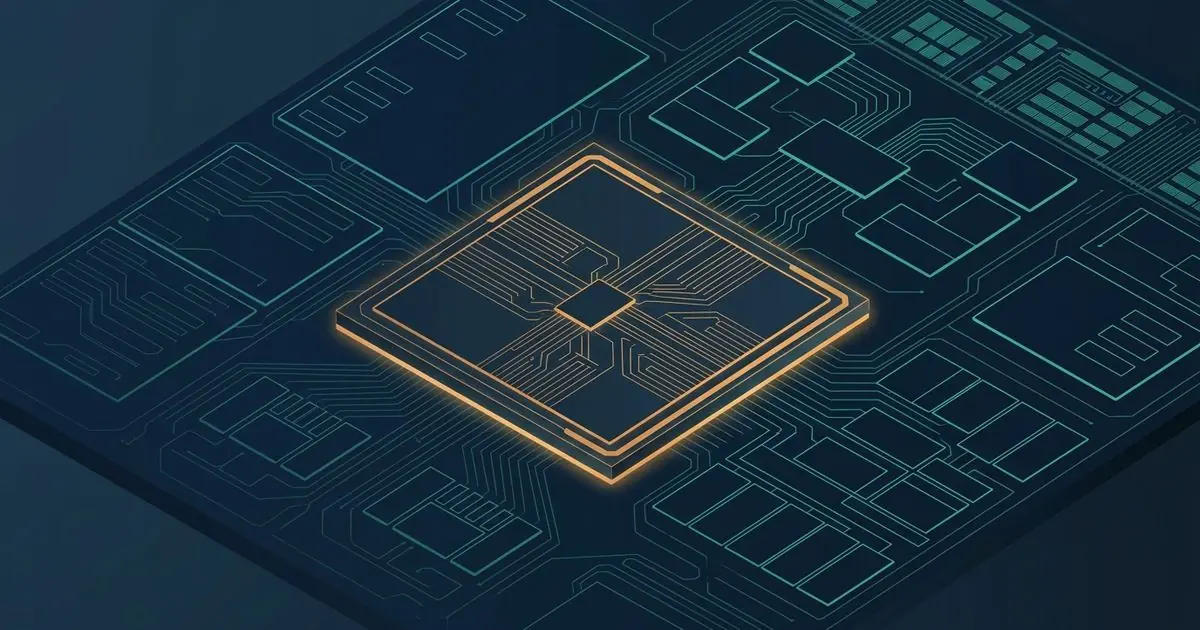
If you have looked at spec sheets for notebooks or phones recently, you have certainly found an acronym in the spotlight: NPU with 45 TOPS, AI integrated in the silicon, or the Copilot+ PC badge. The commercial argument is direct: buy this new device because its processor was designed for the era of artificial intelligence.
Putting a high number on the box costs little; explaining what that number measures and, above all, what it does not measure, almost never makes it into the ad. A processor with more TOPS does not think faster, does not browse the internet on its own, and does not replace the gigantic servers where the large language models run.
This post is an analysis of public specifications and developer technical documentation, not a physical bench-test report. Manufacturer data (Microsoft, Qualcomm, Intel, AMD, and Apple) are cited from their official spec sheets, and the conclusions about how to interpret those numbers are computer-engineering analysis meant to guide real buying and use decisions.
What a TOP is and how that count is made
The acronym TOPS means Tera Operations Per Second, or trillions of mathematical operations per second ($10^{12}$ ops/s).
In deep neural networks, the vast majority of the calculations come down to successive multiplications and additions on multidimensional matrices. The elementary operation of that math is called a MAC (Multiply-Accumulate), which computes the expression $A \times B + C$. Because each MAC operation involves one multiplication and one addition, the industry settled on the convention that 1 MAC equals 2 operations.
So when a manufacturer states that an NPU reaches 40 TOPS, it is saying that the logic circuit of that block is capable of completing about 20 trillion MAC operations per second.
Up to here, it looks like a simple speed metric. The problem starts when we look at the format of the numbers being multiplied.
The precision catch: INT8 versus floating point
Traditionally, graphics cards (GPUs) and central processors (CPUs) have their computational power measured in TFLOPS (Tera Floating-point Operations Per Second), using 32-bit floating-point precision (FP32) or 16-bit (FP16). In floating point, the chip calculates decimal numbers with a mantissa and an exponent, essential for physical simulations, 3D rendering, and scientific training.
A modern NPU, however, measures its TOPS almost universally in 8-bit integers (INT8) — and, in some more aggressive marketing announcements, in 4-bit integers (INT4).
| Data format | Size in memory | Circuit complexity | Typical use |
|---|---|---|---|
| FP32 (32-bit floating point) | 4 bytes per number | Very high | AI training, games, 3D physics |
| FP16 (16-bit floating point) | 2 bytes per number | Medium | High-precision training and inference |
| INT8 (8-bit integer) | 1 byte per number | Low (high density) | Inference of quantized models on the NPU |
| INT4 (4-bit integer) | 0.5 byte per number | Minimal | Extreme compression to fit in RAM |
A multiplier that operates only on 8-bit integers occupies a tiny fraction of the silicon area of a full floating-point multiplier and consumes orders of magnitude less energy.
That distinction reveals the first frequent move in the advertising: the so-called “Platform TOPS” or “combined TOPS.” Some brands add the NPU’s TOPS (in INT8) to the GPU’s TFLOPS (in FP16) and the CPU’s capacity, announcing a single inflated number (such as “80 total TOPS”). It is a sum of incompatible quantities: those blocks do not operate on the same bus, do not share the same latency, and do not execute the same instruction at the same time in practice.
Why Microsoft set the floor at 40 TOPS
In May 2024, Microsoft set a strict technical requirement to certify computers under the Copilot+ PC category: the system had to have a dedicated NPU delivering at least 40 TOPS in INT8, not counting CPU or GPU.
That 40 TOPS cutoff was not accidental. It represented the minimum engineering floor so that compact language models (SLMs, in the range of 2 to 3.8 billion parameters, such as Microsoft’s own Phi family) and local computer-vision models could run in the background with latency the user does not perceive.
From that requirement, the industry lined up its launches:
- Qualcomm Snapdragon X Elite / Plus: debuted with the Hexagon NPU delivering 45 TOPS (INT8).
- AMD Ryzen AI 300: introduced the XDNA 2 architecture with up to 50 TOPS.
- Intel Core Ultra Series 2 (Lunar Lake): jumped from the ~11 TOPS of the first generation to 40 to 48 TOPS on NPU 4.
- Apple Silicon M4 / A18 Pro: Neural Engine designed with 38 TOPS (INT8), calibrated for the Apple Intelligence set of models.
Update note (November 2, 2026): the four numbers in the list did not change on rereading. The Snapdragon X Elite remains at up to 45 TOPS in the current brief and in the SKU table. Microsoft’s floor remains at 40+ TOPS on the successor page; the old address returns 404, and the current sentence does not repeat “INT8, not counting CPU or GPU.” The comparison page adds 16 GB of RAM to the Copilot+ PC definition and says that some APIs, among them Phi Silica on GPU, also run outside that category. AMD still states up to 50 TOPS peak on XDNA 2, in the launch release; the cited product page returns 404. The M4 release, from May 2024, still says up to 38 trillion operations per second and does not use the INT8 label in that sentence. The A18 Pro was not reopened. What came later is another generation: the Snapdragon X2 Elite table lists the Hexagon NPU at 80 TOPS on most SKUs and at 85 on the X2E-90-100, with the INT8 label in the brief. Intel’s range of 40 to 48 TOPS was checked on the Surface Pro spec sheet with Core Ultra Series 2. The old press kit now lands on Intel’s homepage.
But what do these 40 TOPS run on the computer today?
Features such as Windows Studio Effects (which blurs the webcam background, adjusts eye contact artificially, and cancels microphone noise), real-time automatic captions (Live Captions) with offline audio translation, and semantic indexing of photos in the gallery. None of these features requires otherworldly computation — most of them could already be run by a dedicated GPU years ago. The difference is in how much it costs to run these tasks.
The NPU’s real job: energy efficiency (TOPS per watt)
The most frequent question from someone who already owns a notebook with a dedicated graphics card is: if my GPU already has power to spare for matrix math, why do I need an NPU?
The answer is not raw speed. It is thermodynamics and battery life.
A modern notebook GPU is a machine of massive parallelism designed to render tens of millions of polygons per second. If you open a two-hour meeting in Teams, Zoom, or Meet and keep the GPU processing the acoustic noise-cancellation filter and the camera blur in real time, it will consume between 15 and 35 watts continuously. The notebook heats up, the fans spin up, and the battery runs out quickly.
The NPU is a fixed-function circuit (an ASIC specialized in tensors and matrix multiplications). It runs the very same noise-cancellation and computer-vision routine while consuming between 1 and 2.5 watts. The computer stays cool and quiet, and the battery lasts all day.
The NPU’s victory in silicon does not lie in performing “intelligence magic”: it lies in offloading continuous sensory tasks from the CPU and the GPU at an insignificant energy cost.
The bottleneck marketing does not show: the memory barrier
There is a common expectation that a computer with an AI processor can run a model on the scale of Claude or ChatGPT locally, with no internet connection. The physics of computer architecture puts a strict brake on that expectation: the so-called Memory Wall (the memory barrier).
In text generation with autoregressive models, processing happens token by token. For every single word or syllable generated, every weight of the model has to be read from RAM and transferred to the processor.
Let’s do the math with real numbers:
- A relatively small model of 7 billion parameters, compressed to 4 bits (INT4), occupies about 3.5 to 4 GB of RAM.
- On a modern notebook with LPDDR5x memory operating at a bandwidth of about 100 GB/s, the theoretical minimum time to read those 3.5 GB from memory is approximately 0.035 to 0.04 seconds.
- That caps the maximum output rate at about 25 to 28 tokens per second, even if the NPU had infinite speed.
- If the model has 14 billion parameters (~8 GB), the maximum rate falls to ~12 tokens per second.
- A frontier model of 70 billion parameters, quantized, needs about 35 to 40 GB of RAM for the weights alone — it does not even fit in the 16 GB of unified memory on a conventional notebook.
The conclusion is mathematical: having 45, 100, or 200 peak TOPS on the NPU does not help if the RAM bandwidth cannot deliver the data at the speed the core consumes it. For most of the time in local text inference, the processor sits idle waiting for RAM to respond.
What runs locally versus what goes to the cloud
To avoid falling for empty promises, it is worth separating clearly what the brands show in television commercials from what actually happens inside the device:
What runs on the device (on the NPU or locally)
- Audio and video filters: echo cancellation, voice isolation, camera framing, and artificial lighting.
- Transcription and speech: local real-time audio-to-text conversion (such as Whisper) without sending your voice to third-party servers.
- Computer vision and semantic search: face recognition in photos, search by image description (“beach photo in 2024”), and local OCR.
- Small language models (SLMs of 2B to 3B): a quick summary of short notes, simple grammar correction, and replies in local assistants where vocabulary and tokenizer efficiency directly dictates unified memory footprint during local inference.
What still requires the cloud
- Complex reasoning and planning: deep frontier models do not fit on the device.
- Long creative generation and advanced source code: writing complete essays, system architecture, and large-scale code debugging.
- Heavy photorealistic image generation and editing: models such as Flux or Midjourney require GPU clusters with hundreds of gigabytes of VRAM.
- Real-time web search: any query that needs to scan the live internet queries remote servers.
How to read the spec sheet before you buy
If you are shopping for a notebook or custom AI chip architectures and want to make a technical decision instead of buying a slogan, apply this four-check routine:
- Demand the NPU’s TOPS in isolation: ignore numbers that advertise “total ecosystem TOPS” or “combined TOPS.” Look for the exact number delivered by the NPU block on its own.
- Check the precision of the number: confirm that the manufacturer is publishing the result in INT8. If the number is reached only in INT4, the real capacity with standard-precision models is half of what the ad suggests.
- Prioritize RAM and the bus: for any local artificial-intelligence load, 16 GB of unified RAM is the absolute floor, with 32 GB the comfortable level for work. A machine with 32 GB of RAM and a wide memory bus is much more useful for local AI than a machine with 16 GB and 10 more TOPS on the chip.
- Check whether your programs support the hardware: the NPU is inert silicon if the application you use was not recompiled to use the system’s acceleration frameworks. On Windows, the page read on November 2, 2026 recommends Windows ML; DirectML is in maintenance, with no active development. The same page still names OpenVINO as Intel’s provider. On macOS and iOS, the path cited in September is still Core ML, which was not reopened on this date. If the programs in your daily flow do not use these intermediaries, having an NPU will bring no gain to your immediate routine.
Sources
- Official hardware requirements for the Copilot+ PC category. The address cited on 2026-09-01 returns 404. The successor page keeps the floor of 40+ TOPS on the NPU and does not repeat the formula “INT8, not counting CPU or GPU” — Microsoft Learn, Copilot+ PCs developer guide, verified on 2026-11-02.
- Current definition of a Copilot+ PC with 40+ TOPS, 16 GB of RAM, and specific SoCs; DirectML in maintenance; Windows ML as the recommended path; Phi Silica also on GPU outside the category — Microsoft Learn, Choose your Windows AI solution, verified on 2026-11-02.
- Snapdragon X Elite at up to 45 TOPS. The PDF cited on 2026-09-01 does not open. The current public brief keeps the number — Qualcomm, Snapdragon X Elite Product Brief, verified on 2026-11-02.
- Snapdragon X2 Elite: Hexagon NPU at 80 TOPS (INT8) in the brief, and 85 TOPS on the X2E-90-100 SKU in the product table — X2 Elite brief and Snapdragon X Series table, verified on 2026-11-02.
- Range of 40 to 48 TOPS on the Intel AI Boost NPU of Core Ultra Series 2. The press kit cited on 2026-09-01 lands on Intel’s homepage — Microsoft Learn, Surface Pro with Intel Core Ultra Series 2, verified on 2026-11-02.
- Up to 50 TOPS peak on the XDNA 2 NPU of the Ryzen AI 300. The product page cited on 2026-09-01 returns 404 — AMD, release of June 3, 2024, verified on 2026-11-02.
- M4 Neural Engine at up to 38 trillion operations per second, without the INT8 label in that sentence. The A18 Pro was not reopened — Apple Newsroom, May 7, 2024, verified on 2026-11-02.
- Developer guide on the Apple Neural Engine and on running quantized models on Apple silicon — Apple Developer Documentation, Core ML, official developer documentation, verified on 2026-09-01 and not reopened on 2026-11-02.
- Academic discussion of the memory-bandwidth bottleneck in generative loads (Memory Wall) — Wulf & McKee, Hitting the Memory Wall: Implications of the Obvious, a classic computer-architecture paper, and JEDEC specifications for LPDDR5x memory, verified on 2026-09-01.