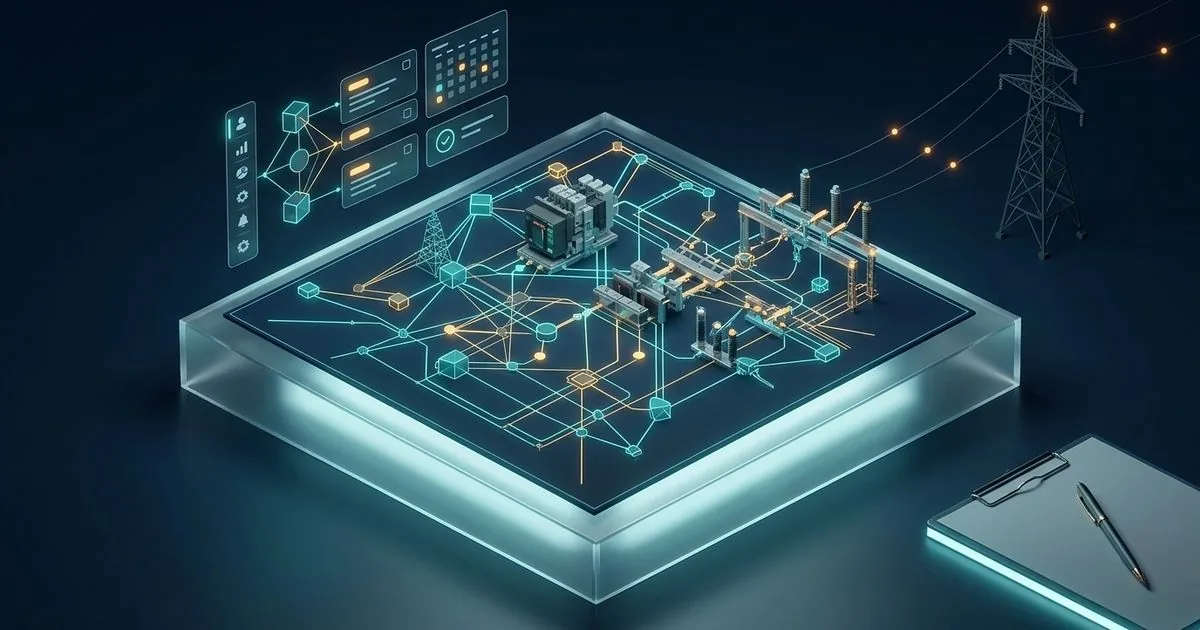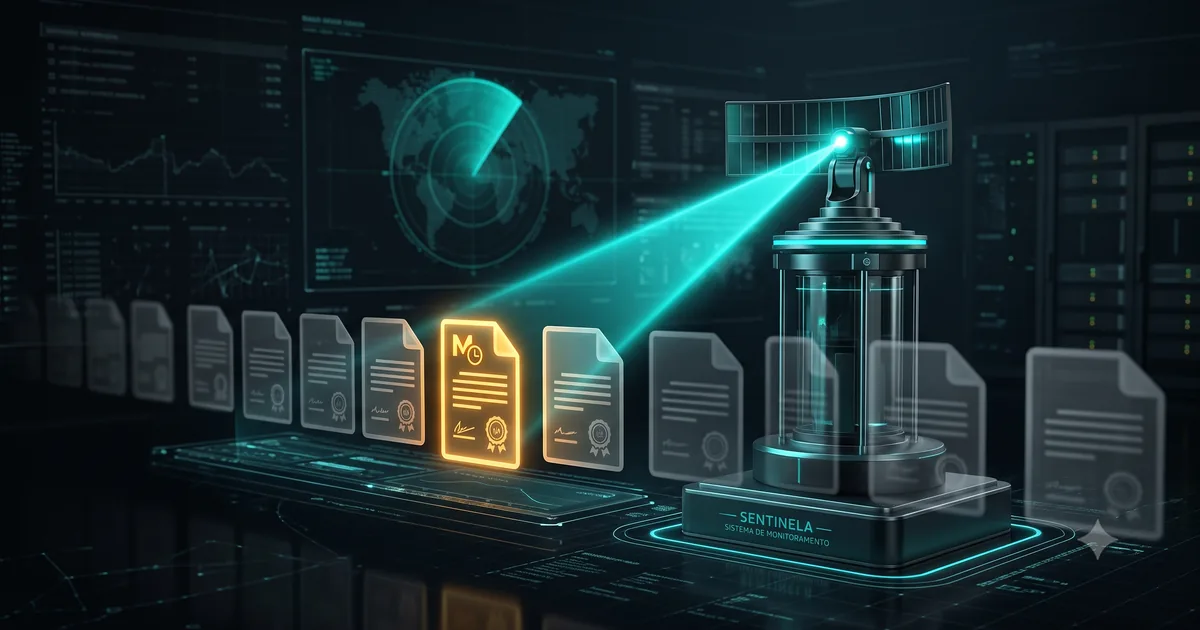
Sentinela is a desktop application that follows the revisions of the Network Procedures and of the Operation Procedures Manual (MPO), the rules that the National Electric System Operator (ONS) publishes and that a transmission operations center has to follow. It collects the documents that matter, compares the versions, prepares the draft of the internal notice and records each operator’s acknowledgment. Publishing the notice is always a person’s act: the automation never publishes by itself.
This technical case shows how the system works, the decisions that shaped it and the real failures that became rules. The numbers were checked in the code, in the version of 28/10/2026.
Transparency: Sentinela was designed and is developed by Jeremias Cardoso, the author of this blog, for the operations center where he works. The text does not name the company, people, workstations or network paths, and it leaves out infrastructure security details.
Update note (30/10/2026): this post was rewritten as a technical case. The 19/07/2026 version described the general pattern of a bot that monitors official sites; the pattern remains here, now with the numbers, the decisions and the incidents of the real system.
The problem: six steps done by hand
Before Sentinela, following the rules was a manual process in six steps:
- check the ONS site;
- identify the rules that involve the company;
- download the PDF;
- assess what changed relative to the previous version;
- write an internal notice about the change;
- collect the acknowledgment of the whole team.
The system automates the first five and digitizes the sixth, with an audit trail. The operations center runs 24 hours, and the system was designed for about 15 operators on shifts, with 2 to 4 using it at the same time. When the follow-up fails, the team operates on an outdated rule without knowing it, and it is exactly this kind of silent failure that the whole project tries to avoid.
The system in numbers
Numbers from October 2026, with the date of each measurement in parentheses.
| Measure | Value |
|---|---|
| Application code (Java, styles and SQL migrations) | about 30.6 thousand lines (28/10) |
| Test code | about 25.6 thousand lines (28/10) |
| Java files for the application and for tests | 195 and 170 (28/10) |
| Automated tests | 1,256, no failures (28/10) |
| Documents on the operations-center list | 121 (28/10) |
| Recorded architecture decisions | 41, from 11/06 to 28/10 |
| Current version | 1.3.0, awaiting an in-person test (28/10) |
The line count considers only versioned files and excludes blank lines and comments: 29.5 thousand lines of Java, 932 of styles and 139 of database migrations. With blanks and comments, the application passes 42 thousand physical lines. The interface is written directly in Java, with no separate screen files.
How the monitor works
Every monitor of an official source is the same four-stage machine: scan, detect what is new, compare and notify. What changes is the care at each stage.
Scan: data, not layout
The ONS pages are built by JavaScript in the browser, and the HTML that reaches the bot does not bring the document list. That is why the collector reads the data that feeds the pages, in JSON format, and not the visual. The closer to the data and the farther from the layout, the fewer false alarms; depending on the layout is the fragile point of traditional RPA.
Collection runs on the screen, on demand, or as a scheduled Windows task, with no interface. The default is Tuesday and Thursday at 6 a.m., with a minimum of twice a week, and the scheduled task does not collect twice on the same day, unless someone forces it.
Detection: three signals, not one
For each document on the list, the collector downloads the PDF to a review area and calculates the SHA-256, a fingerprint of the file. The document is considered “no change” only when three signals match: the revision number, the effective date and the hash. If the source publishes a different file with the same revision number, the system overwrites nothing: it fails closed, keeps what it already had and stores the received copy aside, for someone to investigate.
Comparison: what changed, page by page
The product of a monitor is not the alert, it is the difference. Sentinela extracts the text of each page of the two versions and compares one with the other. It also reads the revision-control table that the rule itself carries, which usually says what the ONS changed. Those two steps are deterministic: they do not depend on AI.
Notice: automatic draft, human publication
With the change detected, the system generates the draft of the notice. Only someone with the supervisor profile can edit, approve and publish. After publication, each operator records the acknowledgment, and that record only grows: the application contract neither deletes nor changes an acknowledgment. Two supervisors editing the same notice on different workstations do not overrun each other: each change checks the version the person was looking at, and whoever arrived later receives a conflict warning instead of a false “saved”.
A panel called Vigia shows when the last complete collection was. After 24 hours with no collection, it offers recovery; after 48 hours, it shows a red alert for everyone.
The list that cut 1,657 rules down to 121
The first complete collection brought 1,657 rules, 1,207 of them operating instructions. That was too much noise for the operations center. Filtering automatically by the company name also did not work: the name appears in no metadata from the source.
The way out, decided on 17/06/2026, was a curated list: the operations center registers the documents that matter, starting from the contingency plan the team already kept. The collector reads the metadata of everything, which is cheap, but downloads and compares only what is on the list. Today there are 121 documents. The 1,657 rules already downloaded stayed on the portal as consultable history.
The lesson holds for any monitor: who defines what is relevant is whoever uses the information, not the volume the source publishes.
Where the database lives: from Access to the cloud and back
Sentinela was born with no server, with a Microsoft Access database in a network folder, to make the pilot viable. On 20/06/2026, the database went to a SQL database in the cloud. On 24/06, for cost, it went to another database in the cloud. On 19/07, it went back to Access: the operations center’s corporate network did not allow the workstations to connect to the remote database. Development happened outside that network, and validation on it had been left for later; a month of migrations was undone because of that.
The return brought back the known Access limitation: it does not organize writes among processes on different machines. On 01/08/2026, the project measured that with three processes writing to the same file, in the same millisecond:
- in about 7 of 24 runs, two processes managed to insert the same record;
- in 5 of 5 runs of simultaneous writing, the file was left with zero readable rows in the table;
- a conditional update, which should have let only one through, reported success in all three processes in 4 of 4 runs.
The response was to put the arbiter outside the data file. Since 30/09, collection acquires an operating-system file lock, beside the database, before anything else, and the scheduled task runs entirely under that lock. The workstation that loses the contest leaves without writing anything. Before that, the loser went on to the next stages, wrote to the database with no lock and still left with a success code.
The sibling system, SIGCOT, solved the same problem by swapping Access for a corporate SQL Server. Sentinela, whose heavy writes are concentrated in collection, stayed on Access and started controlling who writes and when.
Relevance analysis: AI only with what is public
Knowing what changed is not enough: someone has to say whether the change matters to operations. For that, Sentinela prepares a package with the difference between the versions, the revision-control table and a question guide. The expected answer has a fixed format: summary, relevance (high, medium or low), justification and the affected passages with the page number. The guide forbids inventing: with no evidence in the material, the answer is “not found”.
The default mode is assisted: a person takes the package to an external AI assistant and pastes the answer back into the system. There is an optional automatic mode, with a cloud provider or a local model, which receives the same package and returns the work to the assisted path when it fails. On the operations center’s network, external AI providers are blocked, so assisted mode is what holds, and automatic analysis was left as a deferred feature.
The rule is that only public ONS content enters the package, never an internal notice or personal data. The portal search and the manual’s question assistant do not use AI: the assistant, when it does not know the answer, says it does not know. It is the same split that works outside the lab: the automation does the repetitive work, and the judgment stays with the person.
Incidents that became rules
22/07/2026: the backup that was born and died in the same cycle. The daily backup copied the database to a file with the date in the name. On Windows, the copy inherits the original file’s modification date, and the routine that deletes backups older than 30 days judged age by that date. On a database with no writes for more than 30 days, the day’s backup was created and deleted in the same cycle, and the workstation was left with no backup at all, in silence. Rotation started using the date in the file name.
22/07/2026: the test that landed on the production database. In the same check, a test configuration file was saved with an invisible character at the start, the BOM, which some Windows tools add. The first key in the file stopped being recognized, and the system fell through to the default folder, which was the real database. The cycle queried two documents on the ONS site and wrote a collection record. Nothing was lost, and the check showed the real database at the same size as before. The report recorded the cause and the guidance: a test configuration file is not saved with that tool, or the first bytes are checked before running.
27/07/2026: “I lost all the data”. On opening the package on an operations-center workstation, the author saw a fresh installation: no documents, no users, asking for a change of the initial password. The data had not vanished. Sentinela’s default folder, used when none was configured, pointed at another system’s data folder, which exists on every workstation. The access test passed, and Sentinela created an empty database there with no step failing.
The fix became an inviolable rule: the system never creates a database without explicit consent, in front of the full path, and the scheduled task never creates a database. The last-resort default changed to a folder that does not exist by accident. Eleven tests lock that decision.
02/08/2026: the stop button that would have erased the alarm. The first version of the “stop after this document” command wrote a record of an interrupted collection. An automatic guard failed the build: any new collection record zeroed the Vigia clock. A collection stopped on the third of 121 documents would say “collected just now” and hide the lag of the other 118. The interruption started being recorded outside the collection history.
01/10/2026: the right password on the wrong database. The database address was stored in each operator’s Windows profile. One operator saved a path with no database and could no longer sign in. Resetting the password did not help, because the password was in the true database and the workstation was looking somewhere else. The address started coming from a central binding, next to the executable.
23/10/2026: the package that did not come from the commit. The check of version 1.1.10 showed that the installation package had been generated eight minutes before the commit, from the working folder. The content was the same, but there was no way to prove it. The package was rebuilt on 27/10 from the clean commit, and only then did the version get the tag.
28/10/2026: failed in the in-person test. The author tested on the workstation the email notice of version 1.2.0 and failed it for three reasons: the recipients came out separated by commas, which Outlook does not accept in the To field; the window opened and did not send, when the request was automatic sending; and the body carried a fixed sentence instead of the changes. 1.2.0 was frozen with no publication, and 1.3.0 redid the notice with automatic sending and a card with the changes.
Performance: count connections before timing
With Access in a network folder, opening a connection is expensive: in the configuration that keeps the file intact across workstations, each open rereads the database. Instead of timing screens, the September performance audit counted connections, measured on bases of 3 and of 12 documents:
| Operation | Before (3 → 12 documents) | After |
|---|---|---|
| Pending acknowledgments | 4 → 13 connections | 2, constant |
| Draft generation | 4 → 13 connections | 2, constant |
| List of changed documents | 7 → 25 connections | 3, constant |
| Import of the operations-center list (121 codes) | 363 connections | at most 4 |
The collection cycle started doing 121 fewer rereads. The gain in seconds, though, was not measured: real timing at the operations center depends on deploying the version with automatic measurement of startup and login and on a week of data collection. The project records that as a pending item, not as a win.
Tests and guards
The suite grew with the system: 111 tests on 20/06/2026, 631 on 28/07, 968 in version 1.1.0, 1,145 on 30/09 and 1,256 on 28/10, with no failures. Twenty classes are architecture guards: instead of testing a function, they read the source code and lock a rule. One checks that every database access stays in the data layer. Another checks that no partial, canceled or failed result appears as green success. Another checks that no secret goes inside the installation package.
The project has 13 inviolable rules, and most have an automatic guard, in the spirit of the gates that prove. The reading of the code for this text found no automatic guard for four of them, which depend on review: the acknowledgment that only grows, the rule that AI receives only public content, the ban on direct style in the screen code and the update of the architecture maps.
The portable package brings Java bundled, so the workstation does not need to install it. Before each delivery, a smoke test runs 24 checks in a new folder and checks, by hash, that the workstation’s real configuration file was not touched.
What is still unresolved
- 1.3.0 is not closed. The tag awaits approval of the in-person test, and the real sending of the email has not yet been executed on the workstation.
- The acceptance test with three workstations on the real network folder was not done. It depends on IT and is documented as not executed.
- Timing at the operations center never happened. The performance gain is proved in connections, not in seconds.
- Automatic analysis by AI is deferred, because the network blocks the external providers.
- The architecture maps stopped in August. The October decisions are not in them yet, which breaks one of the inviolable rules.
- There is no usage number. The repository does not record how many notices were published or how many acknowledgments were given. This text does not claim a productivity gain because that number does not exist.
Lessons that hold outside the electric sector
- Filter by the list of whoever uses it, not by what the source publishes. Of 1,657 rules, 121 matter.
- Test the network path before migrating the database. A month of migrations fell on a connection the network did not allow.
- A shared file database needs an arbiter outside the file. A unique index and a conditional update did not hold three processes; the operating-system lock did.
- A last-resort default cannot exist by accident. The default folder that already existed on every workstation turned “I opened the wrong folder” into “I lost everything”.
- The watch instrument cannot erase what it watches. One more record would have zeroed the Vigia clock.
- The package comes from the commit, not from the working folder. Without that, the installed version has no way to prove where it came from.
Sources
- Architecture, decisions, incidents, measurements, tests and line count: the Sentinela repository in the version of 28/10/2026, read by the author; extract with the passages, the counting method and the limits of the verification, verified on 2026-10-30.
- Network Procedures and the MPO, the collected sources: National Electric System Operator (ONS), the address used by the collector checked in the code on 2026-10-30.